


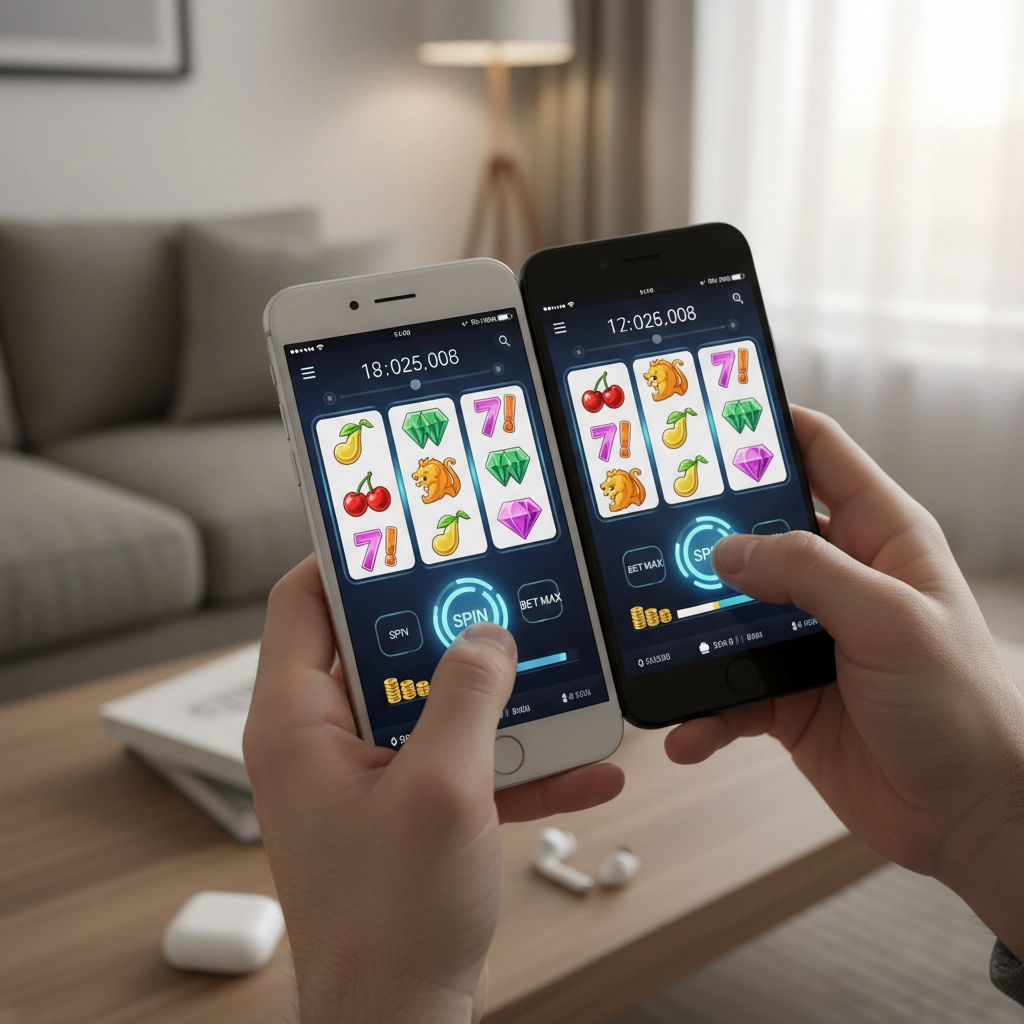
Why mobile video slots feel different on iPhone vs Android
You probably already noticed that the same video slot can behave differently on an iPhone compared with an Android device. Differences in hardware, operating-system updates, and how apps are written for each platform all affect loading times, animation smoothness, and how long your session lasts before battery or thermal throttling kicks in. Understanding those differences helps you make simple choices that improve your experience without changing how you play the game itself.
In this part you’ll explore the early technical factors that most influence mobile slot performance and the practical settings you can tweak right now. These are quick wins that apply whether you prefer native casino apps or browser-based HTML5 slots.
How hardware and software influence slot speed and stability
Processing power, graphics, and memory
Video slots rely on both CPU and GPU to render animations and resolve outcomes. On mobile devices, a fast multi-core CPU speeds up game logic, while a strong GPU smooths animations and effects. RAM matters too: if you have many apps open, the slot app may be pushed into background memory and reloaded, interrupting gameplay.
- Close unused apps to free RAM and reduce background CPU usage.
- Choose devices with recent processors and a dedicated GPU where possible — older budget phones may stutter under high-definition slots.
- Check for OS updates; manufacturers often include performance and memory-management improvements in minor releases.
Storage, app versions, and thermal behavior
Available storage affects how apps cache assets. Low free space can slow read/write operations and force games to stream more assets, increasing data usage and load times. Heat is another practical concern: prolonged gameplay raises device temperature and may trigger thermal throttling, which reduces CPU/GPU speed to protect the hardware.
- Keep at least 10–15% of your device storage free to allow efficient caching.
- Install official updates for casino apps or the browser you use; developers fix memory leaks and optimize assets over time.
- Avoid direct sun and remove bulky cases during long sessions to reduce overheating and throttling.
Network, power, and settings that keep spins smooth
Connectivity and device settings are low-effort adjustments that yield immediate benefits. Use a stable Wi‑Fi connection or reliable mobile data — inconsistent networks cause lag, failed spins, or reconnection prompts. Battery-saving modes, background app restrictions, and aggressive data-saving features can interrupt gameplay or reduce performance.
- Prefer Wi‑Fi for consistent latency; if using mobile data, choose 4G/5G with strong signal bars.
- Disable battery saver, low-power modes, and strict background app restrictions before starting a session.
- Enable auto-updates only when you’re not playing; large updates can start mid-session if allowed.
With these foundational tweaks in place, you’ll notice faster load times, fewer interruptions, and smoother animations — next, you’ll dive into how to set up your bankroll, select slot volatility, and configure app features to optimize long-term play and manage risk effectively.
Bankroll, bet sizing, and session planning for mobile play
Mobile sessions are often short and frequent — a coffee break here, a commute there — so treat your bankroll differently than you would for a long desktop session. Clear rules about buy-ins, bet sizing, and automatic stopping points preserve your balance and reduce impulsive decisions when a phone vibrates with a big win or sudden loss.
- Define a session bankroll: Decide a fixed amount you’re willing to spend per session (not per day). Treat that as entertainment money and don’t top it up mid-session.
- Use unit sizing: Divide your session bankroll into 25–100 units. A common approach is 1–2% of the session bankroll per spin for longer play, or 3–5% if you prefer higher variance bursts. Smaller units stretch playtime and reduce the chance of a single bad run draining the session.
- Set loss and win limits: Program a hard stop (for example, lose 50% of session bankroll) and a take-profit target (for example, gain 100% of session bankroll). When playing on mobile, use timers and alarms to enforce breaks rather than relying on discipline alone.
- Plan session length: Match session size to time available. If you have 10–15 minutes, reduce your unit size so you experience more spins; for longer sessions, increase buffer to ride volatility swings.
- Avoid emotional chasing: Small screens and instant access make it easy to jump back in after a loss. Pause, reassess the bankroll rule, and only resume another session with a fresh bankroll allocation.
Match volatility, RTP, and app features to your playstyle
Not all slots are created equal. Volatility, hit frequency, and RTP define the risk profile; app features and UI choices affect convenience and cost. Choosing the right combination helps you meet session goals — entertainment, long play, or the thrill of high-risk wins — without unnecessary drains on your balance or battery.
- Low vs high volatility: Low-volatility slots pay small, frequent wins and are good for conserving bankroll and extending session time on mobile. High-volatility slots offer large but rare payouts — pair these with smaller bet units and a larger session bankroll if you chase big hits.
- Read RTP and hit frequency: RTP gives a long-term expectation; hit frequency hints at how often you’ll see a reward. On mobile, prefer slightly higher hit frequency for short sessions so you feel progression without burning through units.
- Use demo mode to test: Almost all HTML5 slots and reputable apps offer free-play. Use demo mode to gauge volatility, animation speed, and whether a game causes your device to heat up before you commit real money.
- Smart use of app features: Disable autoplay if it encourages faster, less-considered betting. Enable quick-spin only if it doesn’t compromise battery life or cause accidental taps. Turn off unnecessary notifications and auto-updates to avoid interruptions mid-spin.
- Leverage responsible-rg tools: Set deposit limits, cool-off periods, and session reminders in the app. These features protect both your bankroll and your device experience by preventing impulsive top-ups and marathon sessions that overheat phones.

Final tips for smoother mobile play
Treat device and bankroll setup as part of the same game plan: small technical tweaks and clear session rules combine to make mobile slots more enjoyable and less risky. Before you play, do a quick check of connectivity, battery and background apps, and confirm your session bankroll and stop limits. Take breaks if your device gets hot and always test unfamiliar games in demo mode first.
- Check Wi‑Fi or mobile signal and disable low-power modes.
- Close unused apps, free up some storage (keep ~10–15% free), and remove heavy cases during long sessions.
- Use demo mode to assess volatility and device impact before wagering real money.
- Divide your session bankroll into units and set hard loss/win limits to avoid chasing.
- If you need guidance on safe play, consult responsible gambling resources.
Frequently Asked Questions
Should I use a native casino app or play in my mobile browser?
Both can work well. Native apps often offer slightly faster load times and better integration with device features, while modern HTML5 browser slots provide convenience and avoid app installs. Test the same slot in both environments—use demo mode—to see which feels smoother on your device and uses less battery.
How do I choose volatility for short mobile sessions?
For short sessions, favor low- to medium-volatility slots because they deliver more frequent wins and preserve your session bankroll. If you prefer high volatility, reduce unit size and increase the session bankroll to cover longer variance swings.
What are the best steps to prevent my phone from overheating while playing?
Avoid direct sunlight and heavy cases, close background apps, lower the screen brightness, and limit session length. If your phone becomes hot, pause play and let it cool; thermal throttling reduces performance and can interrupt gameplay, so prevention is more effective than continuing through heat.